The Best Scrupp Alternative for Safe Sales Navigator Exports (2026)
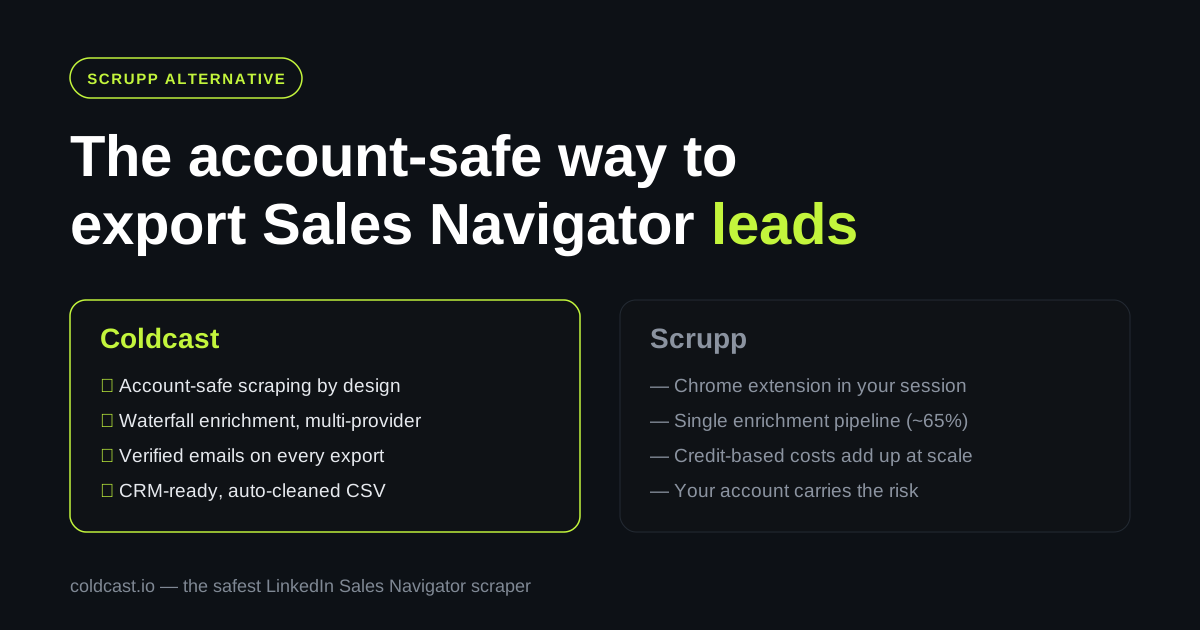
Scrupp is a capable Sales Navigator export tool — but it runs as a Chrome extension inside your logged-in LinkedIn session. For a lot of teams, that single architectural fact is the reason to look elsewhere.
The account-safe Scrupp alternative
Scrupp is a capable Sales Navigator export tool — but it runs as a Chrome extension inside your logged-in LinkedIn session. When a scraper operates through your own browser session, your account is the one taking the risk: unusual read patterns, volume spikes, or extension fingerprinting can all put your Sales Navigator seat — the one you pay $99+/month for — in LinkedIn’s crosshairs.
Coldcast is the Scrupp alternative built around one priority: your LinkedIn account never gets flagged. Same job — turn Sales Navigator searches into clean, enriched, verified lead lists — but with an account-safe architecture, waterfall enrichment across multiple data providers, and built-in email verification, so what lands in your CSV is ready for cold outreach.
Why teams look for a Scrupp alternative
Scrupp does several things well, and we’ll be fair about that below. But three recurring issues push users to switch:
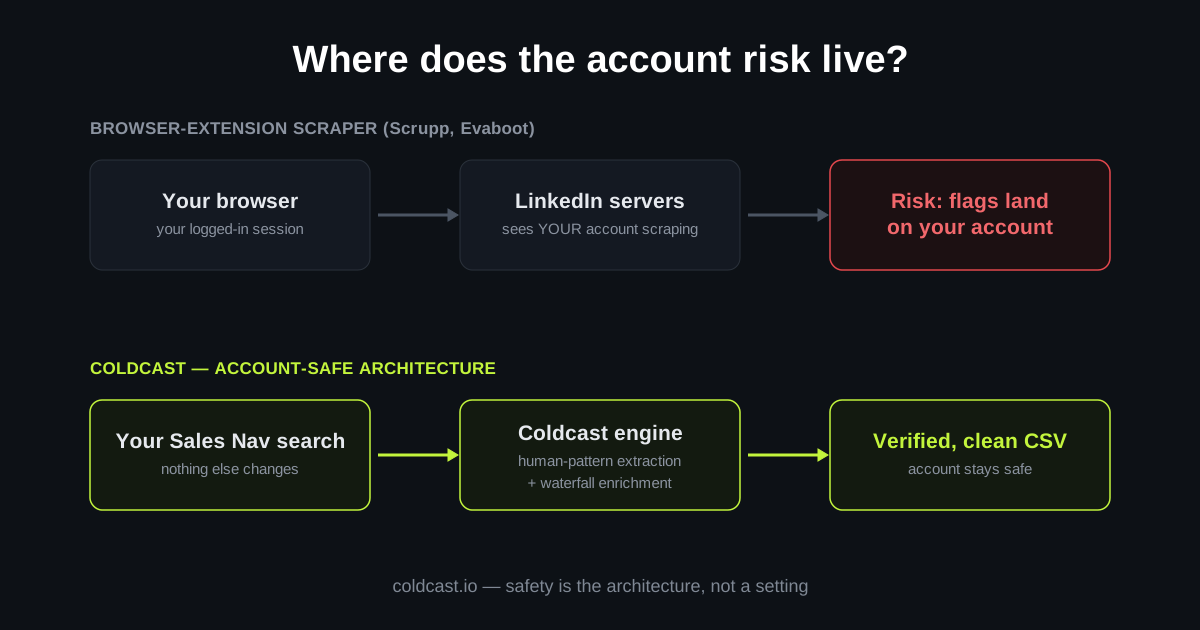
1. Browser-session scraping puts your account on the line. Scrupp’s extension reads Sales Navigator pages from inside your authenticated browser session. Scrupp is careful about it — it throttles to normal browsing speed and doesn’t automate connection requests — but the fundamental exposure remains: every page view is attributed to your account, from your browser. If LinkedIn’s anti-bot systems ever disagree with the extension’s judgment about what “normal speed” looks like, the warning or restriction lands on you.
Coldcast takes the opposite approach. Extraction is engineered to be account-safe first, mimicking human behavior patterns and staying far inside LinkedIn’s tolerance thresholds — it’s why Coldcast calls itself the safest LinkedIn Sales Navigator scraper on the market. You get the leads; your Sales Navigator seat stays clean.
2. Single-vendor enrichment caps your email find rate. Scrupp reports roughly a 65% email find rate on typical US SaaS targets, with real-time SMTP verification. That’s respectable — but any single-source enrichment approach leaves emails on the table. Coldcast uses waterfall enrichment: each lead cascades through multiple premium data providers until a verified email is found. In practice, waterfall approaches typically recover 20–40% more valid emails than any single provider alone, which directly translates into more booked meetings from the same search.
3. Credits, caps, and per-search limits. Scrupp prices around credits (free 100 credits to start; roughly $29/month for 1,000 credits, with one-off packs at $35 per 1,000) and inherits Sales Navigator’s ~2,500-leads-per-search ceiling. The model is fine for small volumes, but costs climb as you scale, and phone numbers burn extra credits. Coldcast is pay-as-you-go and its cleaning pipeline means you don’t pay to re-verify junk rows downstream.
Coldcast vs Scrupp at a glance
| Coldcast | Scrupp | |
|---|---|---|
| Architecture | Account-safe scraping (built to avoid flags) | Chrome extension in your logged-in session |
| Account risk | Minimized by design — safety is the core product | Low-ish, but your session does the work |
| Email enrichment | Waterfall across multiple providers | Single pipeline, ~65% find rate claimed |
| Email verification | Built-in verification on every export | Real-time SMTP verification |
| Data cleaning | Auto-cleaned names, companies, formatting | 15+ fields, de-duplication |
| Beyond Sales Navigator | Apollo scraper, ZoomInfo scraper, domain enrichment | Apollo export |
| Best for | Teams that can’t afford a banned LinkedIn account | Small teams comfortable with extension-based export |
Scrupp details verified September 2026 from scrupp.com; check their site for current pricing.
What makes Coldcast the top Scrupp alternative
Account safety as the core product, not a footnote. Most scrapers mention safety in an FAQ. Coldcast is engineered around it — extraction patterns designed to be indistinguishable from human browsing, conservative rate limits, and no risky automation (no auto-connects, no auto-messages, ever). If your SDR team’s pipeline depends on Sales Navigator access, this is the difference that matters at 2 a.m. when a competitor’s tool gets a batch of accounts restricted.
Waterfall enrichment, standard. Instead of betting your find rate on one vendor’s database, Coldcast’s waterfall enricher queries multiple providers in sequence and keeps the best verified result. Higher coverage, lower bounce risk, one bill.
Verification before your sequencer ever sees the list. Every email passes through Coldcast’s email verification so bounces get caught before they torch your sender reputation — not after your cold email domain is already burned.
More than Sales Navigator. When your ICP lives in other databases, the same account-safe approach extends to the Apollo scraper and ZoomInfo scraper, plus domain enrichment for firmographic data. Scrupp covers Apollo; Coldcast covers the stack.
Clean exports, no VA cleanup pass. Names are properly cased, emojis and certifications stripped from titles, companies normalized — the CSV is CRM-ready the moment it downloads. Pipe it straight to HubSpot, Clay, or Salesforce.
Other Scrupp alternatives, honestly compared
Coldcast isn’t the only option, and different tools fit different jobs:
Evaboot — the best-known Sales Navigator export extension. Simple and polished, with email finding included, but it’s also a Chrome extension running through your session, and enrichment is single-source. See our full Evaboot alternative guide.
Wiza — strong real-time email verification and solid Sales Navigator coverage, priced per-email with plans that scale up quickly (~$83/month territory for regular use). Good tool; the trade-offs are cost at volume and, again, session-based extraction. See Wiza alternative.
PhantomBuster — a general automation platform with hundreds of “Phantoms,” not a dedicated Sales Navigator exporter. Powerful and flexible, but cookie-based automation carries real account risk and the learning curve is steep. Full breakdown: PhantomBuster alternative.
FullEnrich / BetterContact — excellent dedicated waterfall enrichment tools, but they don’t scrape Sales Navigator; you’d still need an exporter in front of them. Coldcast bundles both steps.
If safety plus enrichment quality is the priority, Coldcast is the strongest overall pick. If you only need occasional small exports and cost is everything, Scrupp’s free 100 credits are a fine place to experiment. For the deeper head-to-head, read Coldcast vs Scrupp.
How to switch from Scrupp to Coldcast
Switching takes minutes because the workflow is familiar: run your Sales Navigator search exactly as you do today, hand it to Coldcast, and download the enriched, verified CSV. Your saved searches, lead lists, and boolean queries all carry over unchanged — nothing about your targeting has to change, only what happens after the search. Start with a small export to compare find rates and data quality against your last Scrupp pull; most teams see the difference in the first hundred rows. From there, connect your CRM or sequencer and scale up. New to the export workflow? Our guide to exporting Sales Navigator leads to CSV covers it end to end.
Frequently asked questions
Is Coldcast safer than Scrupp?
Coldcast is built account-safety-first: extraction avoids the patterns LinkedIn’s anti-bot systems flag, rather than running through your logged-in browser session the way Chrome-extension scrapers do. No scraper can promise zero risk — anyone who does is overselling — but architecture matters, and minimizing account exposure is Coldcast’s core design goal.
What does Scrupp cost compared to Coldcast?
Scrupp starts free (100 credits) with subscriptions from roughly $29/month for 1,000 credits; verified emails and phone numbers consume extra credits. Coldcast is pay-as-you-go with no subscription: scraping is $3 per 10,000 credits, and waterfall enrichment and verification are separate credit packs billed only when they succeed. See current pricing at coldcast.io.
Can Coldcast export the same fields as Scrupp?
Yes — names, titles, companies, locations, LinkedIn URLs, and more, plus verified emails via waterfall enrichment. Coldcast also cleans the data automatically (proper casing, junk stripped from titles) so exports are CRM-ready without a manual cleanup pass.
Does Coldcast work with regular LinkedIn or only Sales Navigator?
Coldcast is optimized for Sales Navigator, which exposes far richer search filters and lead data. It also extends beyond LinkedIn with dedicated Apollo and ZoomInfo scrapers, which Scrupp only partially covers.
Will I lose my saved searches if I leave Scrupp?
No. Your searches live in Sales Navigator, not in Scrupp. Any saved search or lead list you built works immediately with Coldcast — just run the search and export.