Coldcast vs Scrupp: Which Sales Navigator Scraper Should You Pick in 2026?
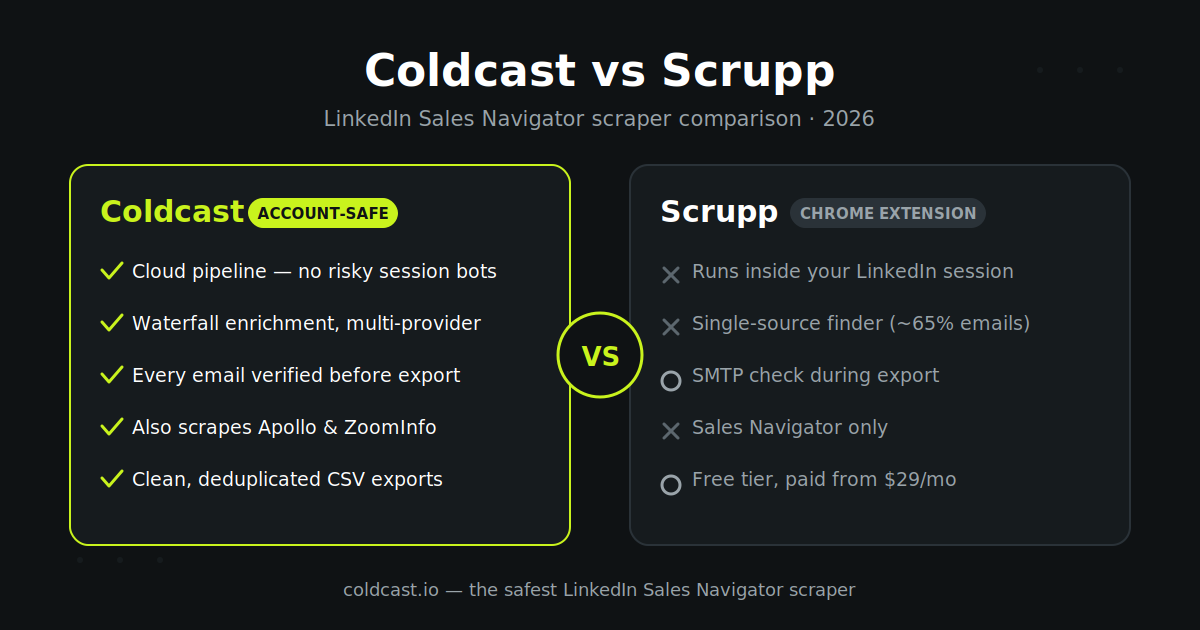
Coldcast and Scrupp are both account-safe Sales Navigator scrapers that run your own logged-in session at human pace and enrich leads with verified emails. The difference shows up at volume: export limits, how enrichment is priced, and what a 5,000-lead month actually costs.
The short answer
Choose Coldcast if you care most about account safety at volume, you want to pay only for the verified emails you actually get (no subscription), and you export more than a few thousand leads a month. Coldcast scrapes for free at up to 10,000 leads per hour and charges $0.003 per waterfall-verified email — there’s no monthly plan to outgrow.
Choose Scrupp if you want a simple flat monthly subscription, your volume fits comfortably inside 1,000–5,000 leads a month, and you value its native push integrations to HubSpot, Salesforce, Pipedrive, Notion and Airtable.
Both tools are capable, and both run your own authenticated LinkedIn session at human pace — so this isn’t about where the browser runs. It’s what happens once you scale: how much you can export, how enrichment is priced, and what a list past a monthly credit allowance costs.
Coldcast vs Scrupp at a glance
| Coldcast | Scrupp | |
|---|---|---|
| How it runs | Your own logged-in session, human-paced with hard limits | Your own logged-in LinkedIn session |
| Scraping limits | Up to 10,000 leads/hour, ~20,000/day | Up to 2,500 leads per Sales Navigator search |
| Email enrichment | Waterfall across Lusha, SalesQL, ContactOut & more | Multi-provider waterfall, SMTP-verified at export |
| Email find rate | 70–85% email/phone match | ~65% verified email find rate (US SaaS) |
| Pricing model | Pay-as-you-go: scraping free, $0.003/verified email | Subscription: $29/mo (1,000), $99/mo (5,000) |
| Free tier | 1,000 leads/day trial + 50 waterfall credits, no card | 100 verified leads/month, no card |
| Extras | Apollo & ZoomInfo scrapers, verifier, domain enrichment, AI agent | Native CRM pushes, REST API, phone numbers |
Scrupp details verified against scrupp.com in August 2026. If anything has changed, tell us and we’ll correct it.
How each tool approaches account safety
This is the deciding factor for most buyers, because a banned Sales Navigator account costs far more than any scraper subscription.
Coldcast: your real session, human pace, hard limits. Coldcast drives your own logged-in LinkedIn session inside a secure, isolated cloud browser — it’s still your authenticated session, never a stored password or replayed cookie. Scraping happens at human pace with conservative hard limits, and we report six-plus months of daily internal use with zero account bans. Machine-speed bots get flagged because LinkedIn sees bursts of automated activity no human could produce; Coldcast’s pacing never creates that signal in the first place. That’s the whole thesis behind Coldcast’s Sales Navigator scraper, and it’s why safety is the first line on the homepage rather than a footnote.
Scrupp: also account-safe, with rate limits. To its credit, Scrupp takes a similar position: no stored passwords, operating inside LinkedIn’s rate limits on your own logged-in session. If you’re comparing either tool against machine-speed, credential-storing automations like PhantomBuster or Apify actors, both Coldcast and Scrupp are the safer category.
The practical difference is throughput within that safe envelope. Scrupp caps exports at 2,500 leads per search. Coldcast sustains up to 10,000 leads per hour and around 20,000 per day, using pacing tuned to stay under LinkedIn’s detection thresholds — a meaningful gap if you’re building lists for a whole SDR team rather than one rep.
Email enrichment and data quality
Getting the lead out of Sales Navigator is half the job; the other half is a verified email that won’t bounce.
Scrupp reports a ~65% average verified email find rate on US SaaS prospects and an under-5% bounce rate, using a multi-provider waterfall with real-time SMTP verification during export. Those are respectable, honest numbers.
Coldcast’s waterfall enrichment cascades across multiple premium providers — Lusha, SalesQL, ContactOut and others — and typically lands a 70–85% email/phone match rate. Because the waterfall queries providers in sequence until one returns a verified hit, coverage is higher than any single source, and you’re only charged when a verified email actually comes back. Every address also passes through email verification before it reaches your CSV, and catch-all domains can be verified separately at $0.0015 per email.
If phone numbers matter to your outbound motion, both tools return them where available; Coldcast’s multi-provider cascade generally surfaces more mobile numbers on senior titles.
Pricing: subscription vs pay-as-you-go

What Scrupp costs. Scrupp’s free plan includes 100 verified leads per month. Paid plans run $29/month for 1,000 leads and $99/month for 5,000 leads, with enterprise tiers up to 100,000/month. One credit equals one exported lead with email/phone — roughly $0.020–$0.029 per lead. Simple and predictable, as long as you use your allowance.
What Coldcast costs. Coldcast has no subscription at all. Scraping is free — you pay $0.003 per waterfall-verified email and $0.0015 per catch-all verification, only when enrichment succeeds. The free trial includes 1,000 leads per day plus 50 waterfall credits, no card required.
Run the math on a 5,000-lead month: Scrupp’s Pro plan is $99. On Coldcast, 5,000 leads at an 80% email match costs about $12 (4,000 verified emails × $0.003). Even at ten times that volume, Coldcast stays under Scrupp’s Pro price. The gap comes from unbundling — you stop paying for the scraping and only pay for delivered, verified contact data.
Credits you lose vs credits you don’t buy. The hidden cost of subscriptions is unused allowance — slow months where you export 800 leads on a 5,000-lead plan and watch 4,200 credits expire. Pay-as-you-go removes that failure mode entirely, which is why agencies and fractional SDR teams with lumpy volume tend to prefer it.
Beyond Sales Navigator: platform scope
Scrupp is focused: Sales Navigator export, enrichment, and solid delivery integrations (HubSpot, Salesforce, Pipedrive, Clay, Notion, Airtable, Slack, plus a REST API and webhooks). If you live in one CRM, its native pushes are convenient.
Coldcast bundles seven tools under the same pay-as-you-go account: the Sales Navigator scraper, an Apollo scraper, a ZoomInfo scraper, waterfall enrichment, email verification, domain enrichment, and the Coldcast AI agent for automated personalized outreach. It also layers AI lead scoring onto every export and tracks buying-intent signals like job changes, hiring and funding. If your prospecting spans multiple data sources — not just LinkedIn — that consolidation replaces two or three separate subscriptions.
Where Scrupp is a fair choice
Honesty cuts both ways in a comparison you publish yourself. Scrupp is a fair pick if you want one flat, predictable invoice; if your monthly volume sits reliably in the 1,000–5,000 range; or if you need its specific native integrations today. Its safety architecture is legitimate, and its published find-rate and bounce numbers are believable rather than inflated.
Where it gives ground is volume ceilings (2,500 per search), the subscription model itself, and scope — it doesn’t scrape Apollo or ZoomInfo, and it doesn’t include an outreach agent.
Getting started with Coldcast
Setup takes about five minutes: connect your LinkedIn account, open a Sales Navigator search, paste the URL, and export. Your first 1,000 leads per day and 50 waterfall credits are free with no card, so you can benchmark Coldcast’s find rate against Scrupp’s on the same search before spending anything. If you don’t have Sales Navigator yet, Coldcast’s Sales Navigator Advanced deal gets you a seat at $25/month — 75% off list. For another head-to-head, read our Evaboot alternative guide.
Frequently asked questions
Is Coldcast safer than Scrupp for my LinkedIn account?
Both run your own logged-in LinkedIn session rather than replaying a stored cookie, which puts them in the safer category of scrapers. Coldcast additionally paces every action at human speed with hard limits, and reports zero account bans across 6+ months of daily internal use — while sustaining far higher daily export volumes than Scrupp’s per-search cap.
Which is cheaper, Coldcast or Scrupp?
For most volumes, Coldcast. Scrupp charges $29/month for 1,000 leads or $99/month for 5,000. Coldcast scrapes for free and charges $0.003 per verified email — about $12 for a 5,000-lead month at an 80% match rate. Scrupp’s flat subscription can be simpler to budget if your volume never varies.
Can both tools export leads with verified emails to CSV?
Yes. Scrupp SMTP-verifies emails during export and reports a ~65% find rate. Coldcast runs a multi-provider waterfall (Lusha, SalesQL, ContactOut and more) with a 70–85% match rate, then verifies every address before it lands in your CSV or XLSX.
Does Coldcast have a free plan like Scrupp?
Yes. Scrupp’s free plan is 100 verified leads per month. Coldcast’s free trial is larger: 1,000 leads per day plus 50 waterfall enrichment credits and 50 catch-all credits, with no credit card required.
Can I migrate from Scrupp to Coldcast?
Yes — there’s nothing to migrate. Both tools read your existing Sales Navigator searches, so you can install the Coldcast extension, re-run any saved search, and compare output side by side. Because Coldcast has no subscription, testing it costs nothing beyond the free credits.